
aSim
Screenshot of Create a 3D runner game inspired by Geometry Dash. The app should feature a main menu and a basic 3D level editor.

The app should have three main screens:

1.  **Main Menu Screen:**
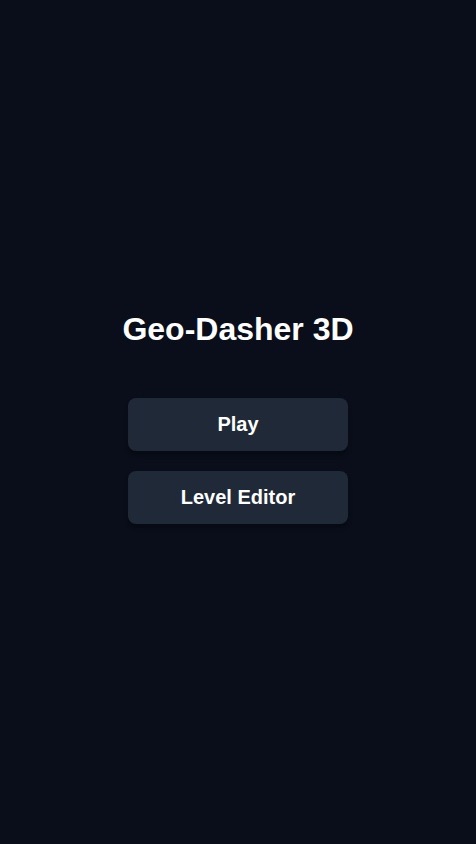
    *   Display the game title "Geo-Dasher 3D".
    *   Include two large, clear buttons: "Play" and "Level Editor". The buttons should have a simple 3D aesthetic.

2.  **3D Game Screen:**
    *   Accessed by tapping the "Play" button.
    *   The camera should be positioned behind a player-controlled cube, looking forward down a long, straight path or track.
    *   The cube moves forward automatically at a constant speed.
    *   Tapping anywhere on the screen makes the cube jump. Implement basic 3D physics for the jump (moving up and down on the Y-axis while continuing forward on the Z-axis).
    *   The level should contain static 3D obstacles on the path, such as cubes to jump over.
    *   If the player's cube collides with an obstacle, the level immediately restarts.

3.  **3D Level Editor Screen:**
    *   Accessed by tapping the "Level Editor" button.
    *   Display the level path from a top-down or isometric perspective to facilitate object placement.
    *   Provide a simple UI toolbar with icons for 3D objects the user can place (e.g., a cube obstacle).
    *   Users should be able to tap on the path to place the selected 3D object at that location.
    *   Include a "Save" button (this can be non-functional for now).

Create a 3D runner game inspired by Geometry Dash. The app should feature a main menu and a basic 3D level editor. The app should have three main screens: 1. **Main Menu Screen:** * Display the game title "Geo-Dasher 3D". * Include two large, clear buttons: "Play" and "Level Editor". The buttons should have a simple 3D aesthetic. 2. **3D Game Screen:** * Accessed by tapping the "Play" button. * The camera should be positioned behind a player-controlled cube, looking forward down a long, straight path or track. * The cube moves forward automatically at a constant speed. * Tapping anywhere on the screen makes the cube jump. Implement basic 3D physics for the jump (moving up and down on the Y-axis while continuing forward on the Z-axis). * The level should contain static 3D obstacles on the path, such as cubes to jump over. * If the player's cube collides with an obstacle, the level immediately restarts. 3. **3D Level Editor Screen:** * Accessed by tapping the "Level Editor" button. * Display the level path from a top-down or isometric perspective to facilitate object placement. * Provide a simple UI toolbar with icons for 3D objects the user can place (e.g., a cube obstacle). * Users should be able to tap on the path to place the selected 3D object at that location. * Include a "Save" button (this can be non-functional for now).

by @caydrn1246
  • 703 views

This mini-app runs in the aSim app.

Get the aSim appAlready have aSim?Open in app